
 Login
Login Register
- Game Servers
- Minecraft
- Garrys Mod
- Rust
- Conan Exiles
- Arma 3
- ARK
- CS:GO
- TF2
- Unturned
- Blackwake
- Mordhau
- Factorio
- Space Engineers
- Valheim
- Virtual Dedicated
- General
- Game Servers
How to make yourself admin
Making yourself admin on Conan Exiles is very simple and only takes a few minutes to setup. Lets get started;
First, log in to your Conan Exile server and create your character
Once you have finished creating your character you need to click Escape and go to Settings
In the settings menu you then need to navigate to the right hand tab called Server Settings
Here you will be prompted for an admin password, if not, click the "Make Admin" button
You will now want to login to your server control panel on our website
Once logged in, head to Configuration Files
You will then need to navigate to the ServerSettings.ini file
Within this file you will see a section that says AdminPassword
Copy this password and head back in-game and enter it into the text box
Now you should be logged in as an admin, congratulations!
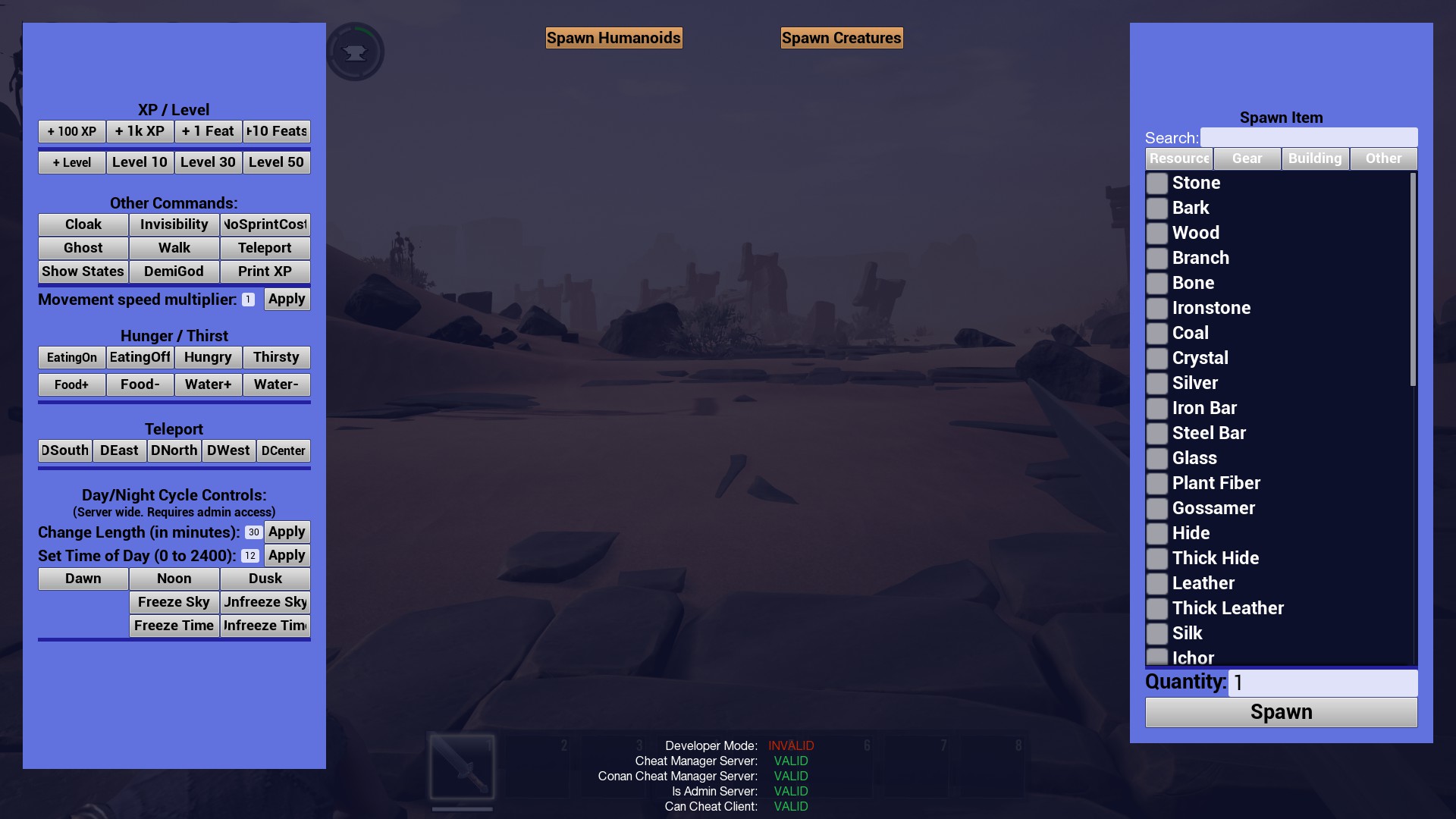
To access the admin menu you can use Ctrl + Shift + C
Or alternatively you can access it from the Escape menu

If you have any further questions, feel free to submit a support ticket and one of our staff members will provide assistance - https://billing.nitrous-networks.com/submitticket.php